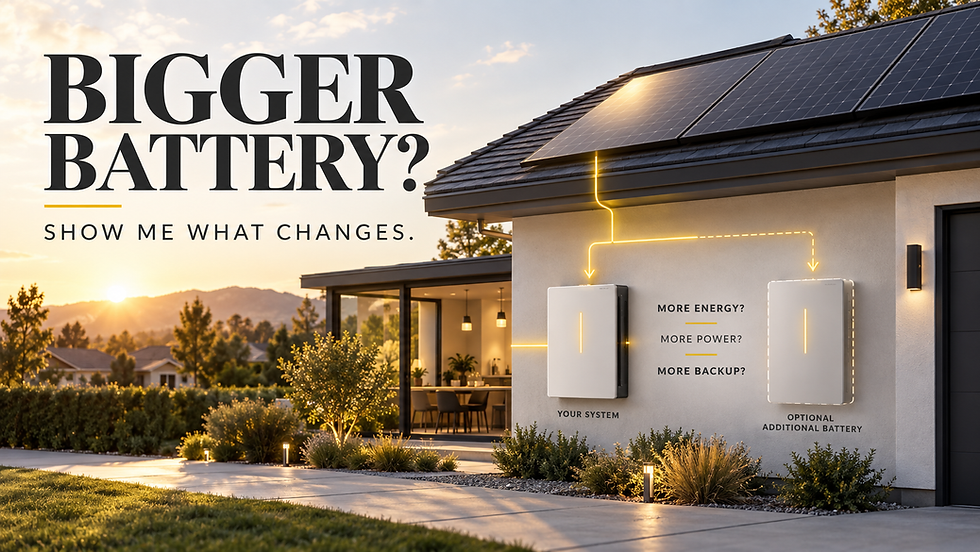
Powerwall 3 Expansion Pack vs. Second Powerwall 3: Which One Do You Actually Need?


Here's the question that comes up in nearly every Powerwall 3 consultation we run.
You need more storage. Tesla gives you two paths to get there: add an Expansion Pack for around $5,900, or buy a second full Powerwall 3 for $11,500 to $13,500. The Expansion Pack adds the same 13.5 kWh of storage as a full unit — for less than half the price. On paper, it looks like an obvious choice.
It isn't always.
The decision between an Expansion Pack and a second full Powerwall 3 comes down to one question that most installers never ask their customers directly. And getting the answer wrong means spending $6,000 on something that doesn't solve the problem you actually have.
What the Expansion Pack Actually Does And Doesn't Do

Before comparing the two options, it's worth being precise about what the Expansion Pack is — because Tesla's marketing is clear on some things and deliberately vague on others.
The Powerwall 3 Expansion Pack is a DC-coupled battery unit that connects directly to an existing Powerwall 3 via a dedicated expansion harness. Think of it as an additional fuel tank bolted onto an engine that already exists. The engine — the inverter, the control system, the power management — stays exactly the same. You're adding more stored energy for that engine to draw from.
Each Expansion Pack adds 13.5 kWh of storage. You can stack up to three of them on a single Powerwall 3, creating a maximum system of 54 kWh total. What it does not add is inverter capacity. Your Powerwall 3's continuous power output stays at 11.5 kilowatts regardless of how many Expansion Packs you attach. That ceiling doesn't move.
This is the distinction that matters most — and the one most homeowners miss entirely.
The Expansion Pack makes your system last longer. More hours. More days. It does not make your system more powerful. It does not increase how many appliances you can run simultaneously. If you're imagining a beefed-up system that handles bigger loads during a blackout, that's not what this is.
The Cost Breakdown
The cost-per-kilowatt-hour math on the Expansion Pack is genuinely hard to beat in the residential storage market right now.
A single Expansion Pack runs approximately $5,900 before installation — adding 13.5 kWh of storage at roughly $444 per kilowatt-hour. A full Powerwall 3 unit costs $11,500 to $13,500 before installation. You're getting the same storage capacity for less than half the price of a full unit because you're not paying for a second inverter, a second control system, or any of the additional hardware that comes with a standalone unit.
Tesla also applies an installation efficiency adjustment — a discount that scales with system size. A two-unit system gets $1,800 off. Three units gets $2,300 off. Four units gets $2,800 off. Labor for adding an Expansion Pack typically runs $700 to $1,000 additional on top of the base installation cost.
If storage duration is your goal and only storage duration, the Expansion Pack is the more efficient path. The question is whether storage duration is actually what you need.
The Two Homeowner Profiles the Expansion Pack Is Right For

From our installations across 12 states, the Expansion Pack consistently makes sense for two specific homeowner situations.
EV owners who want overnight charging buffer.
Here's the scenario. You have a Powerwall 3 paired with solar. During the day, your panels charge the battery. At night, you want to charge your EV from stored solar power rather than pulling from the grid — especially if you're on a time-of-use rate where peak grid power is expensive.
The problem: a standard 13.5 kWh Powerwall doesn't have a lot of headroom once you account for home loads running overnight. Add an EV drawing 10 to 15 kWh for a typical overnight charge and your battery can be nearly depleted by morning, leaving you with minimal backup reserve when you wake up.
An Expansion Pack solves this cleanly. You go from 13.5 kWh to 27 kWh. Your EV gets its overnight charge. Your home loads run through the night. You wake up with meaningful reserve still in the bank. Same power output — you're not running anything you weren't running before — just dramatically more capacity to sustain it across a longer window.
Homeowners who want multi-day blackout coverage.
A single Powerwall 3 at 13.5 kWh covers most homes for roughly 12 to 24 hours on critical loads — lights, refrigerator, router, phone charging, maybe a window AC unit. That's meaningful backup. It's not multi-day coverage.
For homeowners in hurricane corridors — Florida, South Carolina, Texas Gulf Coast — or anywhere that sees extended outages lasting 48 to 72 hours, one Powerwall often isn't enough. Adding one Expansion Pack gets you to 27 kWh — roughly 24 to 48 hours of critical load coverage depending on your home. Two Expansion Packs gets you to 40.5 kWh. Three maxes you out at 54 kWh — enough to run critical loads for two to three days without any solar input at all.
If your primary concern is surviving a multi-day grid event, the Expansion Pack is a cost-effective way to build that buffer without the expense of a full second unit.
Where the Second Full Powerwall 3 Makes More Sense

Here's where most content on this topic stops — and where the real decision lives.
A second full Powerwall 3 doesn't just add storage. It adds a second inverter. And that changes two things significantly.
Power output. Two full Powerwall 3 units give you 23 kilowatts of continuous power instead of 11.5. If you want to run central AC, an EV charger, and your refrigerator simultaneously during an outage — you need that second inverter. One Powerwall plus three Expansion Packs still maxes out at 11.5 kilowatts continuous. You cannot run those loads simultaneously no matter how much storage you add. Storage and power are two separate things, and the Expansion Pack only addresses one of them.
System resilience. With two full Powerwall 3 units, if one fails, the other continues running independently. Your home stays powered. With one Powerwall and an Expansion Pack, the Expansion Pack is completely dependent on the main unit. If the base Powerwall fails, the Expansion Pack goes dark with it. You're back to zero backup from a single point of failure.
This resilience consideration comes up regularly in homeowner discussions — and it's a legitimate factor for anyone in a region where extended outages are a genuine risk. Paying the premium for a second full unit is partly paying for insurance against that single point of failure. Whether that insurance is worth the cost depends entirely on your situation.
The Installation Detail Nobody Warns You About
One practical consideration that rarely comes up until mid-installation — and worth knowing before you commit.
The Expansion Pack connects to your Powerwall 3 via a dedicated expansion harness with a specified maximum cable length. This affects where the Expansion Pack can be physically mounted relative to the base unit. Most residential installations work cleanly. But some configurations — small garages, unusual wall layouts, limited mounting space — require creative solutions that affect installation cost and timeline.
A small number of installations aren't viable without modifications. This isn't a dealbreaker for most homes, but it's the kind of thing that surprises homeowners when they find out mid-project rather than during the planning conversation.
Before you commit to an Expansion Pack, ask your installer to confirm the physical configuration is viable for your specific space. It's a five-minute conversation that can save a lot of friction down the line.
The Decision Framework

The question that clarifies this decision almost instantly:
Do you need your backup to last longer — or do you need it to run more things at the same time?
If the answer is longer — EV overnight charging, multi-day outage coverage, more stored solar to use during evening peak hours — the Expansion Pack is almost certainly the right call. Better cost-per-kilowatt-hour, simpler installation, same storage capacity as a full unit.
If the answer is more things simultaneously — central AC plus EV charger plus multiple large appliances running during a blackout — you need a second full Powerwall 3. The Expansion Pack cannot deliver additional power output regardless of how many units you stack.
If resilience matters to you — if the idea of a single point of failure concerns you given where you live or how dependent your household is on backup power — that's a factor worth pricing in, even if it means paying more for a configuration the pure math doesn't necessarily require.
Expansion Pack | Second Full Powerwall 3 | |
Additional storage | 13.5 kWh | 13.5 kWh |
Additional power output | None | +11.5 kW continuous |
Cost | ~$5,900 | $11,500–$13,500 |
Cost per kWh | ~$444 | ~$850–$1,000 |
Independent backup if main unit fails | No | Yes |
Best for | Duration | Power + resilience |
The Honest Bottom Line
The Expansion Pack is the right answer for more homeowners than it gets credit for — and the wrong answer for more homeowners than the price tag suggests.
The cost-per-kilowatt-hour is genuinely compelling. For EV owners and homeowners who want extended backup coverage, it solves the exact problem cleanly and efficiently. But it is a storage solution, not a power solution. Buying it expecting more power is the mistake that leads to disappointment.
Know which problem you're actually solving before you spend $6,000. The answer to that one question makes the rest of the decision straightforward.
If you're working through this comparison for your specific home — load profile, backup priorities, physical installation constraints — that's exactly what our free consultation covers. We'll tell you which configuration makes the most sense, and why.