
Is Your Solar Battery Actually Saving You Money?

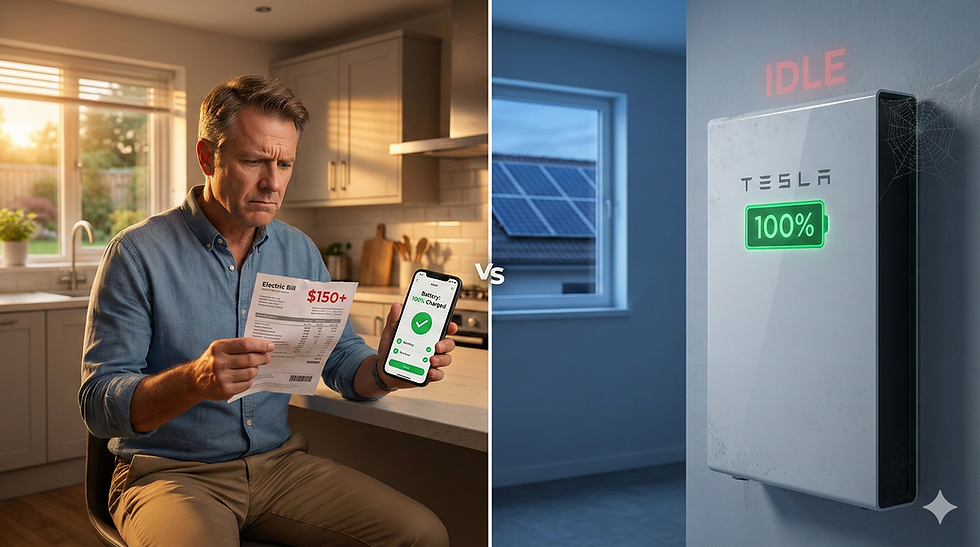
You check your solar app every morning.
Battery: 100% charged. Solar panels: producing beautifully. Everything looks perfect.
Then your electric bill arrives. Still $120. Still $150. Sometimes higher.
You paid $15,000 for that battery because your installer promised "energy independence" and "massive savings." So where are they?
Here's what nobody told you: Your battery might be configured to do absolutely nothing except sit there and look charged.
Not broken. Not defective. Just... idle. Like buying a Ferrari and leaving it parked in your garage forever because nobody showed you where the ignition is.
And right now, while you're reading this, that $15,000 piece of equipment is probably sitting at 100% charge—completely useless—while you pull expensive power from the grid at night that your battery could be providing for free.
This isn't happening to a few unlucky homeowners. We see this on 9 out of 10 battery systems we audit. Same problem. Same expensive mistake. Different brand, different installer, same wrong setting.
The worst part? It's a five-minute fix. But your installer never mentioned it.
The Phone Call We Get Every Week
"I thought my battery was supposed to lower my bill."
That's how the conversation usually starts. A homeowner installed solar with battery backup six to nine months ago. They did everything right:
✓ Got three competitive quotes
✓ Asked about warranties and performance guarantees
✓ Paid extra for the premium battery (not the cheap option)
✓ Chose a reputable installer with good reviews
Their solar production looks great. The app shows everything working perfectly. But their bill? Barely changed.
So they call us.
We ask one simple question: "What mode is your battery running in?"
Nine times out of ten? Silence. They have no idea. Nobody ever explained it. Nobody ever asked them to check.
We walk them through their app settings. And almost every single time, we find the exact same thing:
Their battery has been locked in "Full Backup" mode since the day it was installed.
It charged up to 100% on day one and has been sitting there ever since—doing nothing but waiting for a power outage that hasn't happened. Meanwhile, every night when the sun goes down, they're importing power from the grid and paying full retail rates for electricity their fully-charged battery could have given them for free.
Let me be crystal clear: This is not a hardware failure. This is a settings failure.
And it's costing you roughly $1.40 per day. $511 per year. Over $5,000 across ten years.
All because nobody checked one menu option in your app.
The 3 Battery Operating Modes (And Why You're Probably Stuck in the Wrong One)

Your battery isn't smart enough to know what you want it to do. It needs to be told. And most installers tell it the wrong thing.
Here are the three modes every home battery has—and why most get set to the one that protects the installer's reputation instead of your wallet.
Mode #1: Full Backup Mode (The Expensive Insurance Policy You Never Use)
What it does:
Charges to 100% and stays there
Only discharges if the grid goes down
Provides zero daily bill savings
Acts like a generator that never runs
Why installers love it:Because the battery is always ready. You'll never call them complaining that your battery was dead during an outage. It's the "safe" default that keeps customer service calls low.
Why it's costing you money:You paid $15,000 for equipment that could be saving you $40-50 every month, but instead it's just sitting there doing nothing while you pay the utility company for power you already own.
Daily savings: $0
Mode #2: Savings Mode / Time-of-Use Mode (The One That Only Works If Your Installer Did Their Homework)
What it does:
Charges when electricity is cheap (off-peak hours)
Discharges when electricity is expensive (peak hours)
Maximizes value based on your utility's rate schedule
Sounds perfect, right?
Here's the problem: This only works if:
Your utility actually has time-of-use (TOU) rates
Your installer programmed your battery with the correct TOU schedule
That schedule hasn't changed since installation
If any of those three things are wrong, your battery is waiting for a price signal that never comes. So it just... sits there. Again.
Mode #3: Self-Consumption Mode ⭐ (The One You Actually Paid For)
What it does:
Solar charges your battery during the day
Battery powers your home at night
You pull as little as possible from the grid
Your bill actually drops
This is the mode that turns your battery from an expensive insurance policy into a money-making asset.
Your solar panels are generating free electricity all day. Instead of sending that excess power to the utility for pennies (or nothing, depending on your net metering agreement), you're storing it in your battery. Then when the sun goes down and your panels stop producing, your battery takes over.
No grid import. No expensive nighttime rates. Just free solar power you generated yourself.
Daily savings: $1.40+ (at average rates)Annual savings: $511+10-year savings: $5,110+ (and electricity rates aren't staying flat)
This is what you thought you were buying when you signed that contract.
How to Check Your Settings Right Now (Before You Waste Another Night)

Don't wait for your next bill. Check this today. It takes five minutes.
Enphase Battery Owners:
Open the Enphase app
Tap Menu → System → Battery Settings
Look at your operating mode
What you'll probably see: "Full Backup" or "Savings Mode"What you want to see: "Self-Consumption" (or "Self-Powered")
Tesla Powerwall Owners:
Open the Tesla app
Tap Energy → Customize → Backup Reserve
Check the reserve percentage
If it says 100%: Your battery never discharges for daily use. It's in permanent backup mode.What you want: 20-30% reserve (enough for emergencies, but the rest is available for daily savings)
Franklin aPower Owners:
Open the Franklin Home Power app
Go to Settings → Operating Mode
Check your current mode
What you want: "Self-Powered" mode for maximum daily savings
Found it set to Full Backup?
You're not alone. And you're not stupid for not knowing. Nobody told you to check. This should have been explained during installation, but most installers skip this step entirely.
The good news? You can fix it right now. Switch to Self-Consumption mode and your battery will start earning its keep tonight.
"What If There's a Power Outage and My Battery Is Empty?"
This is the fear that keeps batteries locked in Full Backup mode. And it's a legitimate concern. But there's a solution that gives you both daily savings AND emergency protection:
Set a backup reserve.
Most batteries let you reserve 20-30% capacity for emergencies while using the remaining 70-80% for daily bill reduction.
Example with 10 kWh battery:
Reserve 20% (2 kWh) for outages
Use 80% (8 kWh) for nightly home power
Daily savings: $1.12 instead of $1.40
Annual savings: $409 instead of $511
Emergency backup: Still 2-6 hours of critical loads covered
You don't have to choose between savings and security. You can have both.
And honestly? If you live somewhere with frequent multi-day outages, you probably need more than 10 kWh of battery anyway. But that's a system sizing question, not a settings question.
Battery vs. Generator: The Question Nobody Answers Honestly

"Should I have just bought a generator instead?"
If you're seeing $0 savings from your battery, this question probably keeps you up at night. So let's answer it honestly.
When a Generator Actually Makes More Sense:
You should consider a generator if:
✓ You experience multi-day outages multiple times per year
✓ Your outages typically happen during winter (limited solar charging)
✓ You have critical medical equipment requiring absolute 24/7 reliability
✓ Budget constraints: $3K-$7K for generator vs. $10K-$15K for battery
When a Battery Wins (Which Is Most Cases):
Daily financial return:
Generator: $0/year (it just sits there until you need it)
Battery: $400-$600/year (working for you every single day)
Ongoing costs:
Generator: Annual maintenance, oil changes, fuel stabilizer, fuel costs during outages
Battery: Zero maintenance, free solar charging
Lifespan value:
Generator: 10-15 years, provides zero return except during outages
Battery: 10-15 years, earning savings 365 days per year
Environmental impact:
Generator: Emissions, noise pollution, fuel storage
Battery: Silent, zero emissions, powered by free sunlight
Resale value:
Generator: Depreciating asset
Battery: Increases home value (if configured correctly)
For 90% of homeowners, a properly configured battery outperforms a generator across every metric that matters over 10 years.
But again: properly configured is the critical phrase.
A battery in Full Backup mode is just an expensive generator that costs $15K instead of $5K and can't run for multiple days straight.
The Hybrid Solution
If you live in an area with genuinely frequent extended outages—hurricanes, severe winter storms, aging rural grid—a hybrid approach can make sense:
Battery for: Daily bill savings + short outages (1-3 days)Generator as: Extended outage backup (3+ days when solar can't recharge)
This works particularly well in:
Florida and Gulf Coast (hurricane risk)
Northeast and Midwest (severe winter storms)
Rural areas with aging infrastructure
Homes with critical medical equipment
But even in this scenario, your battery should still be in Self-Consumption mode with a 20-30% reserve. Let it work for you every day, with the generator as your deep backup.
What to Do Right Now
If You Already Own a Battery:
Step 1: Check your mode settings today (instructions above)
Step 2: If you're in Full Backup mode and don't have frequent multi-day outages, switch to Self-Consumption
Step 3: If you're unsure which setting is right for your situation, get a free expert review
We'll look at your utility rates, outage history, and current configuration—then tell you exactly what we'd do if it were our own home.
If You're Shopping for Solar + Storage:
Don't make a decision based on sticker price alone. Demand a 10-year financial model that accounts for:
✓ Daily bill savings in each mode
✓ Maintenance costs (generator) vs. zero maintenance (battery)
✓ Fuel costs over system lifetime
✓ Actual probability of outages in your area
✓ Utility rate trends in your state
Your Battery Is Only as Valuable as Its Settings
The hardware is easy. Tesla, Enphase, Franklin—they all make excellent batteries.
The configuration is where installers fail you.
Not because they're incompetent or malicious. But because:
Full Backup mode is the "safe" default (fewer customer service calls)
Nobody's checking the settings 6 months later
Homeowners don't know what they don't know
The result? A $15,000 asset that's generating a $0 return.
At IntegrateSun, we've completed 1,000+ installations across 12 states. We've seen perfectly good batteries sitting idle. We've seen homeowners paying hundreds of dollars monthly for power their battery could provide for free.
We've never seen a correctly configured battery that a homeowner regretted.
The difference between a battery that pays for itself and one that just costs you money? A five-minute settings change that nobody told you about.
Don't let another night go by with your battery doing nothing.
We'll analyze your specific situation—your rates, your usage patterns, your system configuration—and show you exactly where your money is going and how to keep more of it.
Frequently Asked Questions
Q: Will switching to Self-Consumption leave me vulnerable during outages?A: No. Set a 20-30% backup reserve and you'll have emergency power available while still getting daily savings from the remaining 70-80% capacity.
Q: Can I change modes seasonally?A: Absolutely. Some homeowners use Self-Consumption in summer (high bills, low outage risk) and increase their backup reserve in winter (storm season).
Q: Will this void my warranty?A: No. Changing operating modes through the manufacturer's app is a normal user function and doesn't affect warranty coverage.
Q: What if I have time-of-use rates?A: Then Savings/TOU mode might be optimal—but only if it's programmed with your utility's exact rate schedule. Many aren't, which is why they don't work.
Q: My installer said Full Backup mode is best. Are they wrong?A: They're not wrong if you have frequent multi-day outages. But for most homeowners, they're prioritizing their convenience (fewer callback calls) over your financial return.


